![401GO-Logo-LG.png]](https://help.401go.com/hs-fs/hubfs/401GO-Logo-LG.png?height=50&name=401GO-Logo-LG.png)
At the end of each year, you need to complete a review for data submitted to 401GO. Navigate to Menu > Year End.
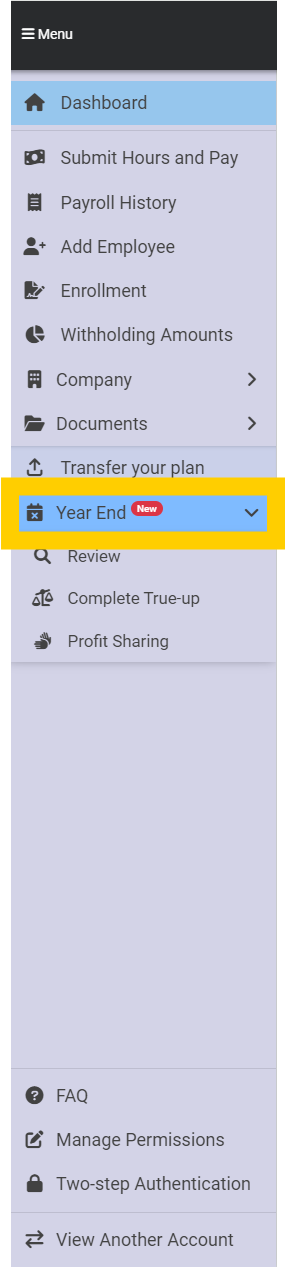
Review
First confirm your year-end information under Review. Download the data by clicking the blue button which will generate an Excel spreadsheet. 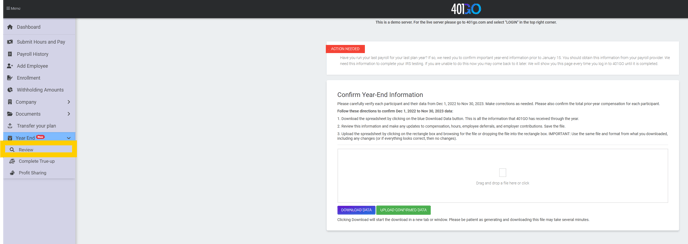
Confirm the prior year’s compensation, hours worked, employee deferrals pre and post-tax (Roth) and ownership percentages in the company. Make changes to any numbers to match payroll records and save.
Next, upload the information to 401GO by clicking on the box and selecting the file from your computer.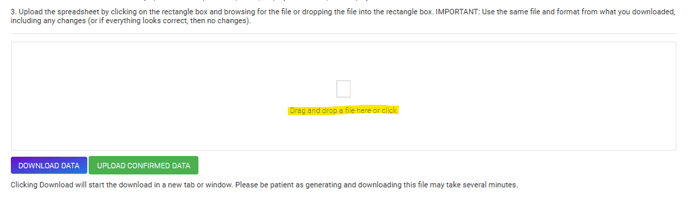
Click “upload confirmed data” to finalize the information.
True-Up or Correction
After you complete the review, you may be presented with a true-up or correction for the prior year. Depending on your plan type, a true-up for company contributions may be required.
If the employee contributions need to be adjusted to match payroll records, you will be prompted to make corrections. This is required regardless of your plan type.
Review the updated information, check the box at the bottom of the page to confirm the amount that will be submitted and click Submit. The funds will be drawn from your company bank account three days following the submit date.
Profit Sharing
After your end-of-year review and true-up are complete, you will have the option to submit a profit share. You may select pro-rata, fixed dollar amount or a new comparability profit share.
Here is a brief explanation of how each works:
- Pro-rata to all eligible participants: Specify a dollar amount you want split among all the eligible participants in your company. We will split that dollar amount based on those participants’ total compensation last year.
- Fixed dollar amount to all eligible participants: Specify a dollar amount you want split among all the eligible participants in your company. We will split that dollar amount equally to each participant, regardless of compensation amounts.
- 401GO calculation: This will be either a “new comparability” or “integrated” profit-sharing calculation (we calculate this for you). These calculations are complex and benefit some participants more than others. Due to the complexity of these calculations, there is a fee for 401GO to complete this for you. We will let you select the participants you would like to benefit most from this contribution.
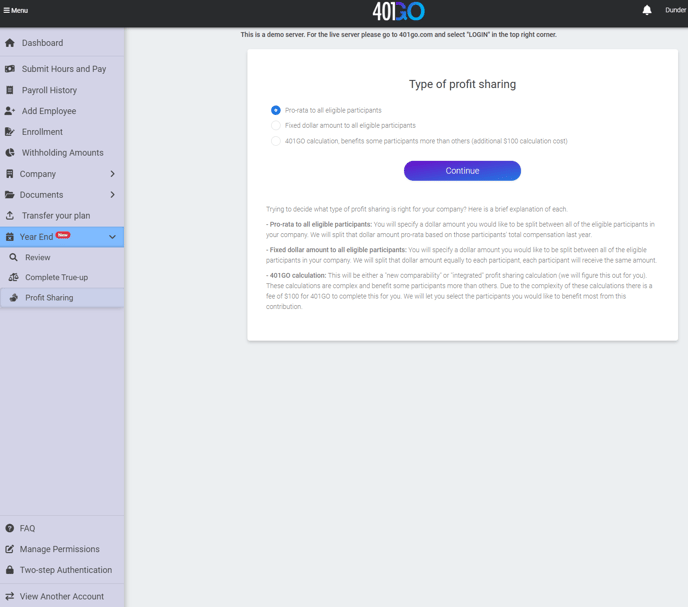
Once you have selected pro-rata or fixed dollar amount, you will be able to enter your total profit-sharing amount. 
The maximum amount you can contribute for the year will be noted on the second line, which varies depending on your employee’s gross pay for the prior year.
Once you enter the information and continue, you will have the option to edit the dollar amounts before submitting payroll. Please note that IRS regulations require each employee be fairly compensated if profit shares are provided. If you have questions about this, please contact your CPA.