![401GO-Logo-LG.png]](https://help.401go.com/hs-fs/hubfs/401GO-Logo-LG.png?height=50&name=401GO-Logo-LG.png)
To view or make changes to your Profile, navigate to the Menu and select My Profile. The image below has the icon highlighted. This section will show your home address, phone number and email address. You can make changes by clicking on the blue circle with the white pencil. To change your password, click on Change Password in blue.
The box to the right of your profile information is where you will see your notifications. When we send out notifications, you will receive an email. 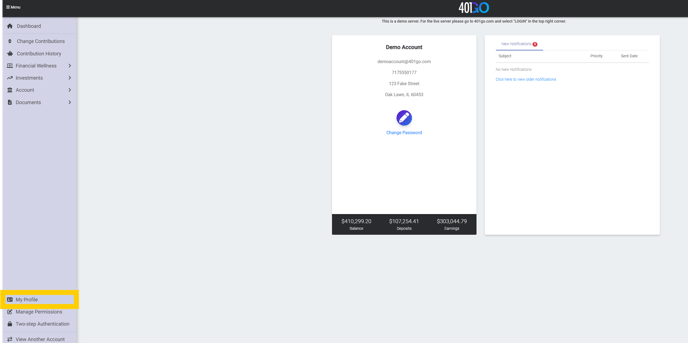
New notifications as well as old notifications will be listed in the box on the right. In the picture below, circled in yellow, you will see in blue, “Click here to view older notifications”. 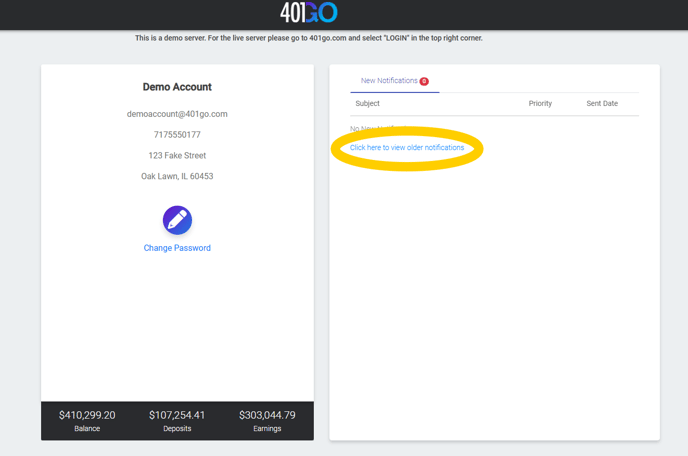
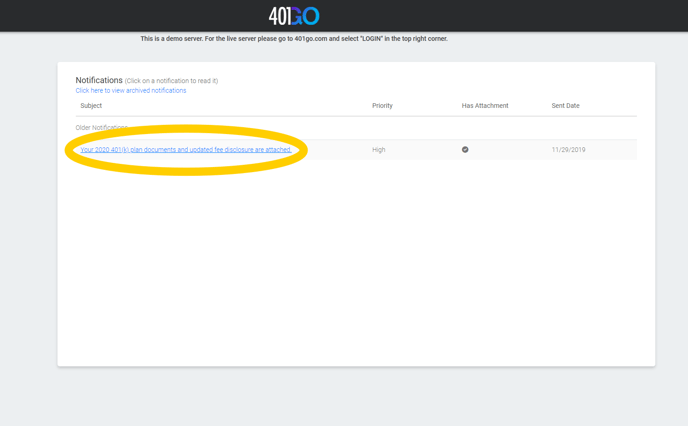
When the "Older Notifications" link is opened you will see all notifications that have not been archived. This page will also show you how urgent the notification is, if it has any attachments and when it was sent. The example below shows an older notification.
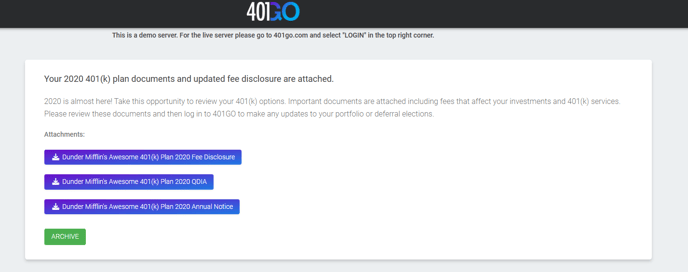
You can see below that this notification has several attachments that you can download, print, email or archive.