![401GO-Logo-LG.png]](https://help.401go.com/hs-fs/hubfs/401GO-Logo-LG.png?height=50&name=401GO-Logo-LG.png)
If you work with a partner that referred you to 401GO, they may request access to your 401GO company view. You can see this under "Manage Permissions" in the menu.
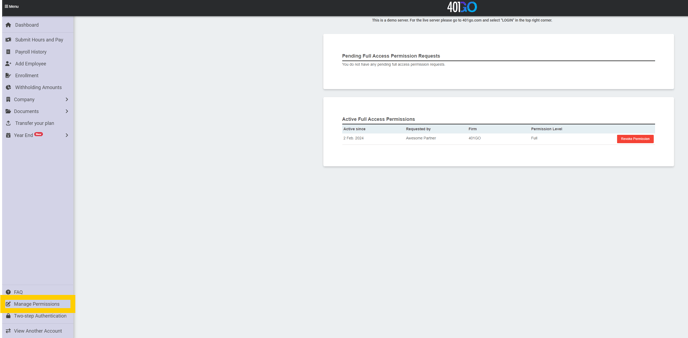
In this view, pending permission requests will show at the top, which you can accept by clicking the check mark or deny by clicking the x.
We recommend allowing access to your partner as they will be able to view your information and assist with questions you have.